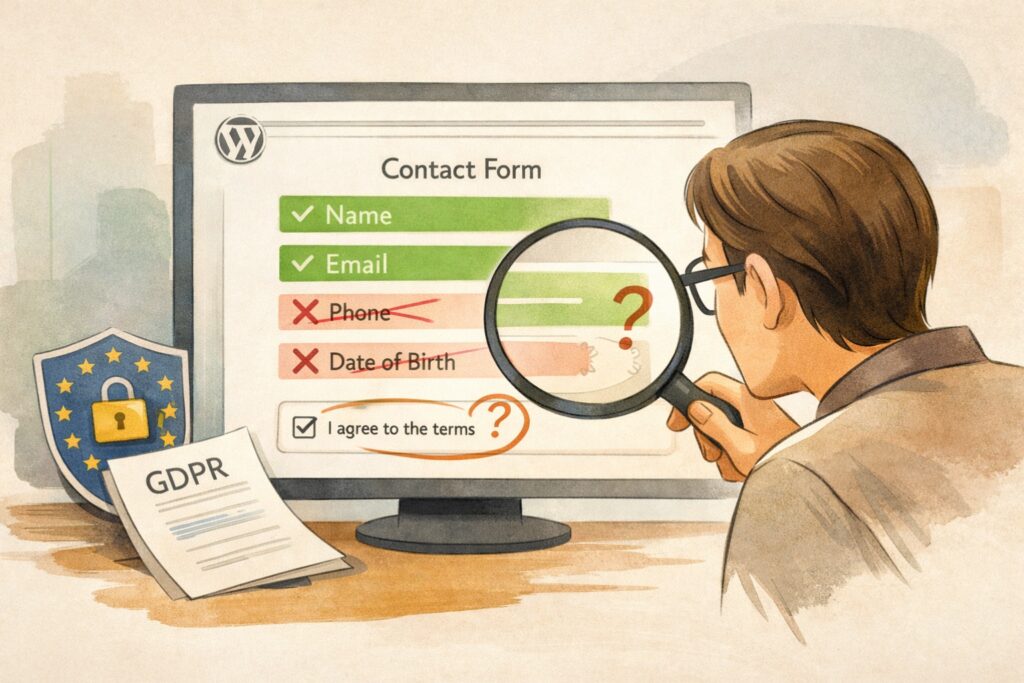
You do not need a consent checkbox on your contact form. That sentence will surprise most WordPress site owners, because the checkbox has become the universal symbol of GDPR compliance — the thing you bolt onto every form and assume the law is satisfied. It is not. The checkbox is a tool for collecting consent, and consent is only one of six lawful bases under GDPR Article 6(1). For a standard contact form where a visitor asks a question and expects a reply, consent is almost certainly the wrong basis. Legitimate interest is the right one. And the moment you choose the wrong basis, everything downstream — your privacy notice, your retention policy, your response to a withdrawal request — is built on a legal foundation that does not hold.
This matters because regulators are not fining businesses for missing checkboxes. They are fining them for collecting data they did not need, keeping it longer than they should, and failing to tell people what happens to it. CNIL fined SAF Logistics €200,000 for a form that collected blood type and political affiliation. The Berlin DPA fined Deutsche Wohnen €14.5 million for storing data in a system that could not delete it. The Danish DPA recommended a DKK 1.2 million fine against a taxi company for retaining phone numbers five years beyond their purpose. None of these cases involved a missing checkbox. All of them involved structural failures in how data was collected, stored, and governed. Your WordPress contact form operates on the same principles.
The lawful basis decision that most site owners get backwards
When someone fills in your contact form and clicks submit, they are asking you a question. They expect a response. They voluntarily provided their name and email for exactly that purpose. Under GDPR Article 6(1)(f), this is a textbook case of legitimate interest — the ICO’s own guidance lists “responding to a communication from the individual” as an example. Recital 47 supports this directly, recognising legitimate interest where “there is a relevant and appropriate relationship between the data subject and the controller.”
Using legitimate interest as your lawful basis means no consent checkbox is required for the inquiry itself. What is required is a documented Legitimate Interest Assessment applying the ICO’s three-part test: the interest is legitimate (responding to business communications), the processing is necessary (you cannot reply without their name and email), and it does not override the individual’s rights (low impact, fully expected by the person who initiated contact). This document sits in your compliance file, not on your website.
Consent under GDPR Article 6(1)(a) becomes necessary only when you do something beyond answering the question — subscribing them to a newsletter, sharing their data with a partner, adding them to a CRM for marketing purposes. The CJEU’s Planet49 ruling (Case C-673/17) established that consent requires a clear affirmative action, and Recital 32 confirms that pre-ticked boxes, silence, and inactivity never constitute consent. The EDPB Guidelines 05/2020 require granular consent — separate opt-ins for separate purposes. A single checkbox bundling “I agree to be contacted about my inquiry and to receive marketing emails” violates this requirement on its face.
Here is where the common mistake becomes dangerous. If you add a consent checkbox to a form that should operate under legitimate interest, you have implicitly adopted consent as your lawful basis. If the user later withdraws that consent — as they have an absolute right to do under GDPR Article 7(3) — you have no fallback. The ICO has stated that controllers should not retrospectively switch lawful bases. You cannot collect data under consent, lose that consent, and then claim you had legitimate interest all along.
The correct approach: legitimate interest for the inquiry, with a separate unticked checkbox only if marketing is involved. Two purposes, two legal bases, cleanly separated.
What must appear on every form regardless of lawful basis
Whether your form runs on consent or legitimate interest, GDPR Article 13 imposes transparency obligations that are non-negotiable. At the point of data collection — meaning on or immediately adjacent to the form — you must disclose the controller’s identity, the purposes of processing, the legal basis, recipients of the data, retention periods, and the existence of data subject rights. If you rely on legitimate interest, GDPR Article 13(1)(d) specifically requires you to state the interest pursued.
The WP29 Guidelines on Transparency endorse a layered approach: a concise notice near the submit button linking to the full privacy policy. A compliant first layer reads something like: “We use your information to respond to your inquiry. [Company Name] is the data controller. See our Privacy Policy for details including your rights and how long we keep your data.” This is not legally mandated word for word, but the WP29 guidance that information should be “immediately apparent” strongly favours inline contextual text plus a link, not a bare footer link alone.
Your full privacy policy must then dedicate a section to contact form processing: what data is collected (name, email, message, and whether IP addresses or user agents are stored), the specific purpose, the legal basis with article reference, every recipient including your hosting provider, SMTP service, spam filter, and any CRM, the international transfer mechanism for US-based services, the concrete retention period, and the complete list of data subject rights with instructions for exercising them. This is where most WordPress sites fail — not because they lack a privacy policy, but because the policy does not mention the specific services that actually touch the data.
Your form fields are a legal argument and most are losing
GDPR Article 5(1)(c) requires that personal data be “adequate, relevant and limited to what is necessary.” For a form whose purpose is email-based inquiry handling, the necessity test is straightforward. Name and email are necessary — the first to address the response, the second to deliver it. The message body is the inquiry itself. A subject line aids routing and is defensible.
Everything beyond that requires justification specific to the stated purpose. A required phone number field on an email inquiry form is indefensible — German DSGVO guidance states this directly. Company name and job title as required fields are excessive for a general contact form, though they may be justified on a B2B sales form where company context is genuinely necessary to respond. Date of birth has no defensible purpose on any contact form.
GDPR Article 25(2) sharpens this further: by default, only personal data necessary for each specific purpose should be processed. This means the default configuration of your form should be minimal, not comprehensive. Every field that exists on the form is a field you must justify, disclose, store securely, delete on schedule, and produce in response to a data subject access request.
Where your plugin stores data and why the defaults are wrong
The technical reality of GDPR compliance varies dramatically across WordPress contact form plugins, and every major plugin ships with defaults that create compliance problems.
Contact Form 7 is the most privacy-friendly by default — it stores nothing in the database, sending submissions only via email. But the moment you install Flamingo to retain submissions, you inherit indefinite storage in wp_posts and wp_postmeta with IP addresses and user agents captured by default, no automatic deletion, and no integration with WordPress core privacy tools. Every submission sits in your database until someone manually deletes it.
WPForms Pro stores entries in custom tables and collects IP addresses and user agent strings by default. The GDPR Enhancements toggle under Settings → General disables this, but it ships off. A dedicated GDPR Agreement field exists in both Lite and Pro. Automatic deletion requires the paid Entry Automation addon. WPForms registers with WordPress core privacy export and erasure tools.
Gravity Forms has the most comprehensive GDPR tooling of any form plugin. Its per-form Personal Data tab offers IP storage prevention, configurable retention policies that auto-trash or auto-delete entries after a set number of days via daily cron, full WordPress privacy tools integration, and granular field-level control over what appears in export and erasure requests. It collects IP addresses by default but provides a GUI toggle to stop.
Ninja Forms does not collect IP addresses in core and offers the strongest free GDPR toolkit: native submission expiration, pre-built data request form templates that hook directly into WordPress privacy tools, field-level PII labelling, and anonymisation as an alternative to deletion — all at no cost.
Formidable Forms collects IPs by default with a global toggle to disable, integrates with WordPress privacy tools, and offers a GDPR consent field — but has no native automatic deletion. Fluent Forms collects the most metadata by default: IP, browser, device, source URL, city, and country across both submission and analytics tables. Elementor Pro Forms stores submissions with IP and user agent collection, no dedicated GDPR panel, and no automatic deletion. Jetpack Forms collects IPs with no option to disable and no configurable retention.
The pattern is consistent: plugins optimise for functionality, not compliance. The site owner must reconfigure every plugin after installation.
The reCAPTCHA problem nobody talks about until the fine arrives
Google reCAPTCHA is the single largest hidden compliance risk on most WordPress contact forms. It collects IP addresses, sets cookies including _GRECAPTCHA, performs browser fingerprinting, tracks mouse movements and keystroke timing, and transmits everything to Google’s servers. Version 3 runs continuously across every page where it loads, performing behavioral monitoring that has nothing to do with protecting a single form from spam.
CNIL fined Cityscoot €125,000 in March 2023 for deploying reCAPTCHA without consent, ruling it does not qualify as “strictly necessary” under the ePrivacy Directive because Google uses the data for analysis beyond security. CNIL fined NS Cards France €105,000 in December 2023 for the identical violation. The Bavarian DPA has advised operators to consider alternatives entirely. And on April 2, 2026, Google switched reCAPTCHA from a data controller to a data processor model — making site owners the sole data controllers, bearing full legal responsibility for all processing reCAPTCHA performs.
The alternatives are clear. Honeypot techniques carry zero GDPR risk — no data collection, no cookies, no third-party transfers, no consent requirement. WP Armour and Gravity Forms’ native honeypot are effective implementations. Cloudflare Turnstile operates without persistent cookies or cross-site identifiers and performs no behavioral profiling. hCaptcha holds ISO 27001 and SOC 2 Type II certifications and is enrolled in the EU-US Data Privacy Framework, though it still uses cookies. If you must use reCAPTCHA, it requires cookie consent through a compliant consent management platform before the script loads — not after.
Every integration you add is a new data flow you must disclose
CRM integrations, email marketing platforms, webhook automations — each service that receives contact form data creates a new processing relationship requiring GDPR Article 13 disclosure and a GDPR Article 28 Data Processing Agreement.
The highest-risk category is email marketing. If your contact form pipes data into Mailchimp, ActiveCampaign, or Kit, that requires separate explicit consent — a distinct, unticked checkbox with clear text specifying the marketing purpose. The ePrivacy Directive’s marketing consent requirement applies regardless of the GDPR lawful basis for the form. Legitimate interest for responding to an inquiry does not extend to sending newsletters. This is the exact pattern that earned TIM S.p.A. a €27.8 million fine from the Italian Garante for repurposing service data for marketing.
CRM integrations for managing the response itself can generally operate under the same lawful basis as the form. But if the CRM is used for lead scoring, behavioral profiling, or marketing automation, those purposes must be separately disclosed and separately justified. HubSpot, Salesforce, and Zoho all offer DPAs — ensure they are executed before data flows.
For international transfers to US-based services, the EU-US Data Privacy Framework provides the current legal mechanism. The EU General Court upheld it in September 2025, but NOYB has announced a challenge following the pattern that killed both Safe Harbor and Privacy Shield. Maintain Standard Contractual Clauses as a fallback alongside DPF certification for every US-based recipient.
Retention periods are not optional and “indefinite” is not a period
GDPR Article 5(1)(e) requires data to be kept no longer than necessary. For simple contact form inquiries, 30 to 90 days after resolution is defensible. Lead generation forms may justify 90 days to 6 months. Forms with legal implications may warrant longer retention tied to statutory requirements. Whatever period you choose must be documented in your privacy policy and enforced technically.
Gravity Forms handles this natively — set the retention period in the Personal Data tab and the daily cron enforces it. Ninja Forms offers built-in submission expiration. WPForms requires the paid Entry Automation addon. Every other major plugin — Contact Form 7 with Flamingo, Formidable Forms, Fluent Forms, Elementor Pro, HappyForms, Jetpack Forms — requires either a third-party plugin or a custom wp_cron implementation to achieve automatic deletion.
The Danish taxi case established the principle directly: you cannot justify retaining data beyond its purpose because your database makes deletion difficult. If your plugin cannot delete entries automatically, you need a different plugin or a custom solution.
File uploads and the special category data trap
File upload fields introduce GDPR Article 9 risk that most site owners never consider. CVs contain photographs revealing ethnicity, health information, dates of birth, and nationality. Supporting documents may include medical certificates. Processing special category data is prohibited by default under GDPR Article 9(1) and requires explicit consent under GDPR Article 9(2) on top of the standard GDPR Article 6 basis. A Data Protection Impact Assessment is likely required for forms that routinely collect documents.
The technical risk compounds this: files in wp-content/uploads/ may be publicly accessible if the direct URL is known. Gravity Forms mitigates this with hashed folder names, but the standard WordPress uploads directory has no access control. And deleting a form entry from the database does not delete the uploaded file from the filesystem — both must be tracked and removed according to the retention policy.
The compliance architecture that holds together
GDPR compliance for a WordPress contact form is not a feature you enable — it is an architecture you build. The lawful basis selection drives the consent mechanism. The purpose statement drives the field selection. The field selection drives the data minimisation assessment. The retention period drives the deletion mechanism. The third-party integrations drive the DPA requirements and transfer disclosures. The privacy notice ties it all together at the point of collection.
Most WordPress sites fail not because they lack a checkbox but because they lack this architecture. They collect phone numbers they never call, store submissions they never delete, pipe data into services they never disclose, and protect forms with reCAPTCHA they never consented users to. The checkbox was never the point. The point was always the system behind it — and most systems were never built.
That consent checkbox from the opening? It is still not required on your standard contact form. What is required is a documented lawful basis, a layered privacy notice, minimised form fields, a defined retention period with technical enforcement, DPAs with every processor, disclosed international transfers, and a clear process for fulfilling data subject requests within 30 days. The checkbox is the least important thing on the list. Everything else is what regulators actually check.
— Comments 0
No comments yet. Be the first to share your opinion!
LEAVE AN OPINION